Local PDF processing
Open and work with document content on the Windows device where the file already lives.
Folio PDF Studio is a local-first Windows PDF editor for private document work, from everyday review and OCR to redaction, conversion, and final printing.
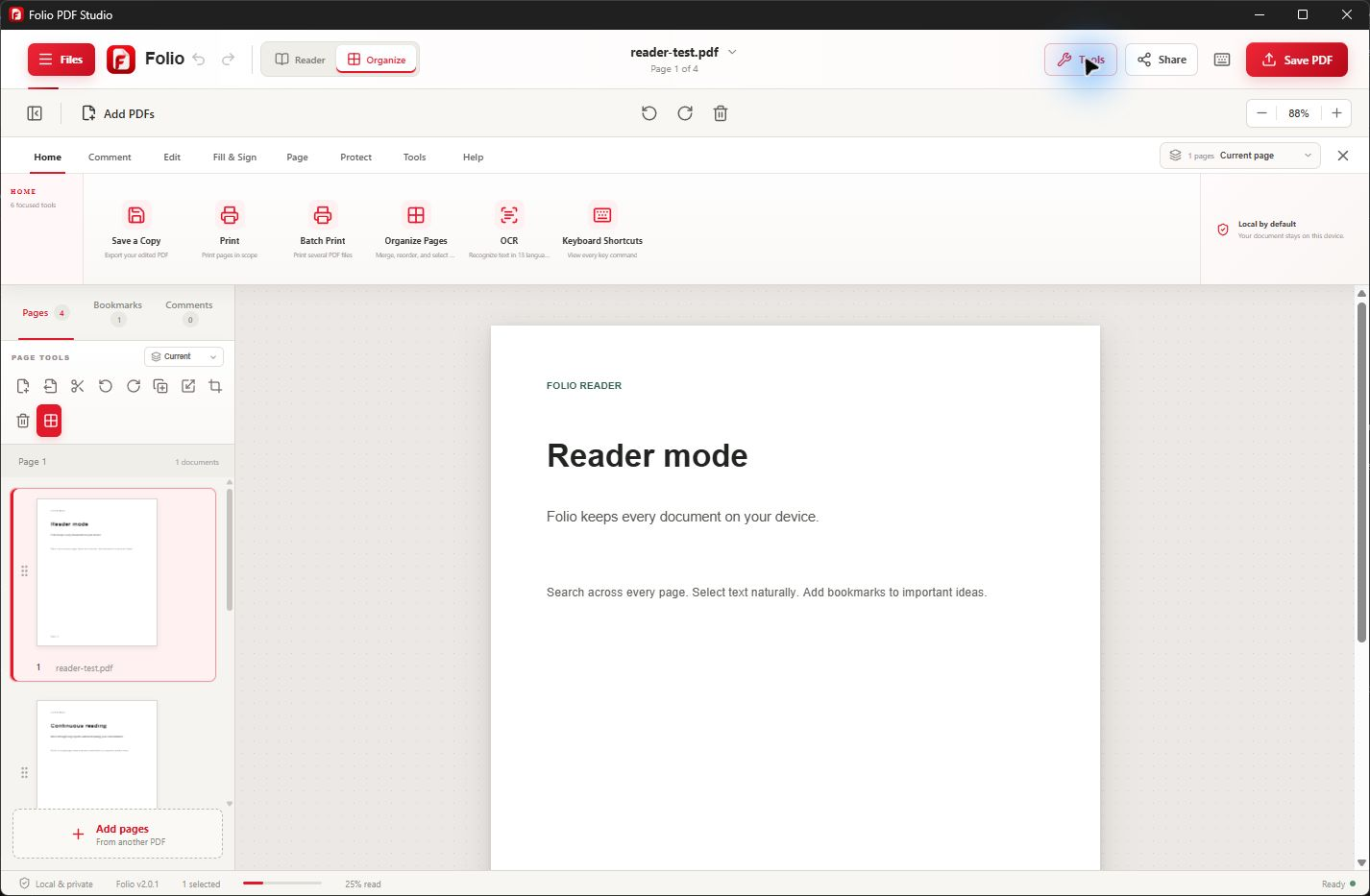
A focused Windows workflow
Browser tools can be convenient, but sensitive documents often deserve a different workflow. Folio performs core PDF processing and OCR locally, so contracts, forms, reports, and scans do not need to be uploaded to Folio servers.
You still get one connected workspace for reading, editing, organizing, converting, protecting, and printing. Internet access may be needed for Microsoft Store installation, licensing, and updates, but not for the core document-processing workflow.
Useful from the first document
Folio keeps related PDF tasks together so you can finish the document without moving sensitive content between unrelated services.
Open and work with document content on the Windows device where the file already lives.
Recognize text in scanned PDFs across 13 supported languages without sending the scan to Folio servers.
Combine, split, reorder, rotate, crop, and extract pages inside the desktop application.
Read, search, bookmark, annotate, fill forms, and sign as part of one local workflow.
Prepare sensitive information for removal before saving or sharing the finished document.
Export supported formats or print with scale, margin, duplex, grayscale, and pages-per-sheet controls.
Simple by design
Open a PDF from the Windows device instead of uploading it to an online editor.
Use the reader, organizer, OCR, conversion, protection, and print tools the document requires.
Choose where the completed file is stored and review the result before sharing it.
Common questions
Core PDF processing stays on your Windows device. Folio does not upload document content to Folio servers.
No. Folio does not upload PDF contents, extracted text, annotations, form entries, or OCR results to Folio servers.
Yes. Folio includes offline OCR for 13 supported languages, allowing scanned-text recognition on the Windows device.
Microsoft Store installation, licensing, purchases, and app updates can require internet access. Core PDF processing remains local.
One Windows app. One clear purchase.